Projects & workflow organization
Organize related workflows inside projects so data processes remain structured as their number and complexity grow.
BIUWER DATAPREP
Organize workflows in projects and combine triggers, sources, transformations, validation, control logic and destinations in the sequence each process requires. Automate recurring execution, control access with RBAC and keep every run traceable.
Early access · Built for recurring data operations
DATAPREP CAPABILITIES
Combine organization, flexible processing, quality and control to operate recurring data workflows.
Organize related workflows inside projects so data processes remain structured as their number and complexity grow.
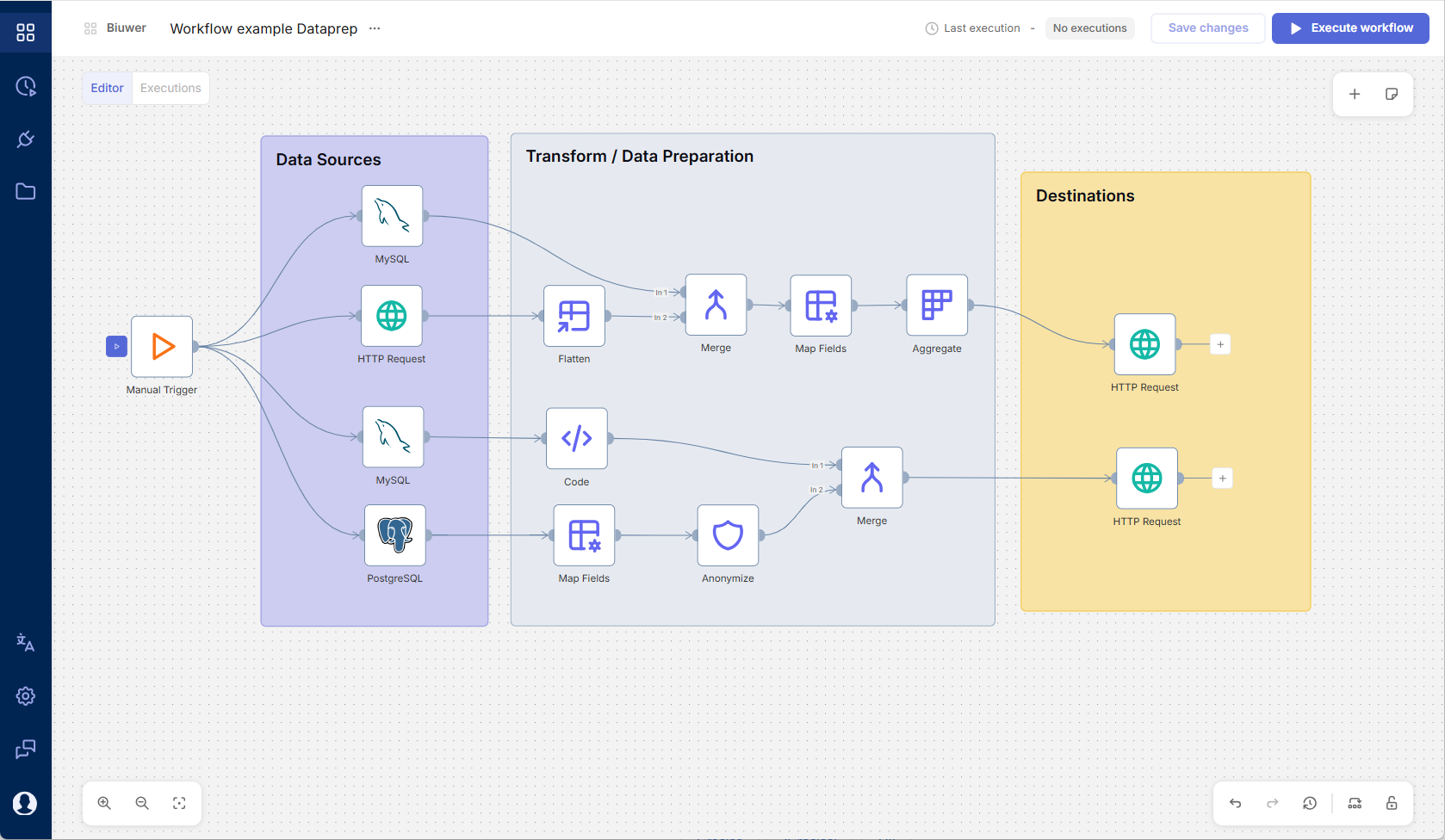
Compose triggers, sources, transformations, control logic and destinations on a shared visual canvas.
Start workflows manually, on a schedule, through webhooks or from application events, then automate recurring execution.
Map, merge, flatten, calculate, aggregate and reshape data in the sequence each process requires.
Move prepared data back into CRMs, ERPs, SaaS applications and other operational systems.
Validate data, apply quality rules, anonymize sensitive information and generate synthetic data when required.
Control access to Dataprep through roles and separate responsibilities across different types of users.
Review execution status, history and failures to understand what happened in every workflow run.
PROJECTS AND VISUAL WORKFLOWS
Organize related workflows inside projects and build each process on a shared visual canvas. Every workflow starts from a trigger, but what comes next is defined by the use case rather than by a predefined pipeline.
TRIGGERS AND AUTOMATION
Define how each workflow starts and automate recurring data operations without depending on repetitive manual execution.
TRANSFORMATIONS AND ETL/ELT
Build traditional ETL flows, load data before transforming it, or combine processing patterns within the same workflow. Dataprep does not impose a fixed pipeline.
DATA QUALITY AND PRIVACY
Add quality and privacy operations directly to the workflow instead of leaving them hidden inside scripts or manual checks.
CONNECTIVITY AND REVERSE ETL
Connect databases, files, APIs and applications as sources or destinations. Use Dataprep for ingestion and preparation workflows, or activate prepared data back into CRMs, ERPs and other operational applications.
ROLE-BASED ACCESS CONTROL
Use role-based access control to define who can access and work with Dataprep according to their responsibilities.
EXECUTION TRACEABILITY
Keep a shared record of workflow executions so recurring data operations do not disappear inside scripts, scheduled jobs or individual machines.
Do you have a recurring data process that is still manual or fragile?
Tell us about the systems involved, its logic, frequency and expected outcome. We'll assess whether it fits the Dataprep early access program.
Resources
Contact
2026 © Biuwer Analytics S.L. - All Rights Reserved.
Supported by: